Performing Cicd With Travisci
As mentioned on the TravisCI website (https://travis-ci.org), TravisCI is a hosted Continuous Integration service. It enables you to conveniently set up projects to automatically build, test, and deploy them as you make changes to your code. As of now, they support over 30 languages such as C/C++, Dart, Go, Haskell, Groovy, Java, Node.js, PHP, Python, Ruby, and Scala. Using TravisCI, you can deploy your application on platforms such as Heroku, Google App Engine, AWS, and Azure.
For this recipe, let’s use the same example that we used in earlier recipes.
Getting ready
Follow the following prerequisites:
-
Log in to TravisCI (https://travis-ci.org).
-
Click on your profile and set up a Repository. In our case, we’ll pick the same repository from GitHub that we used in the previous recipe (https://github.com/kencochrane/heroku-flask-example):
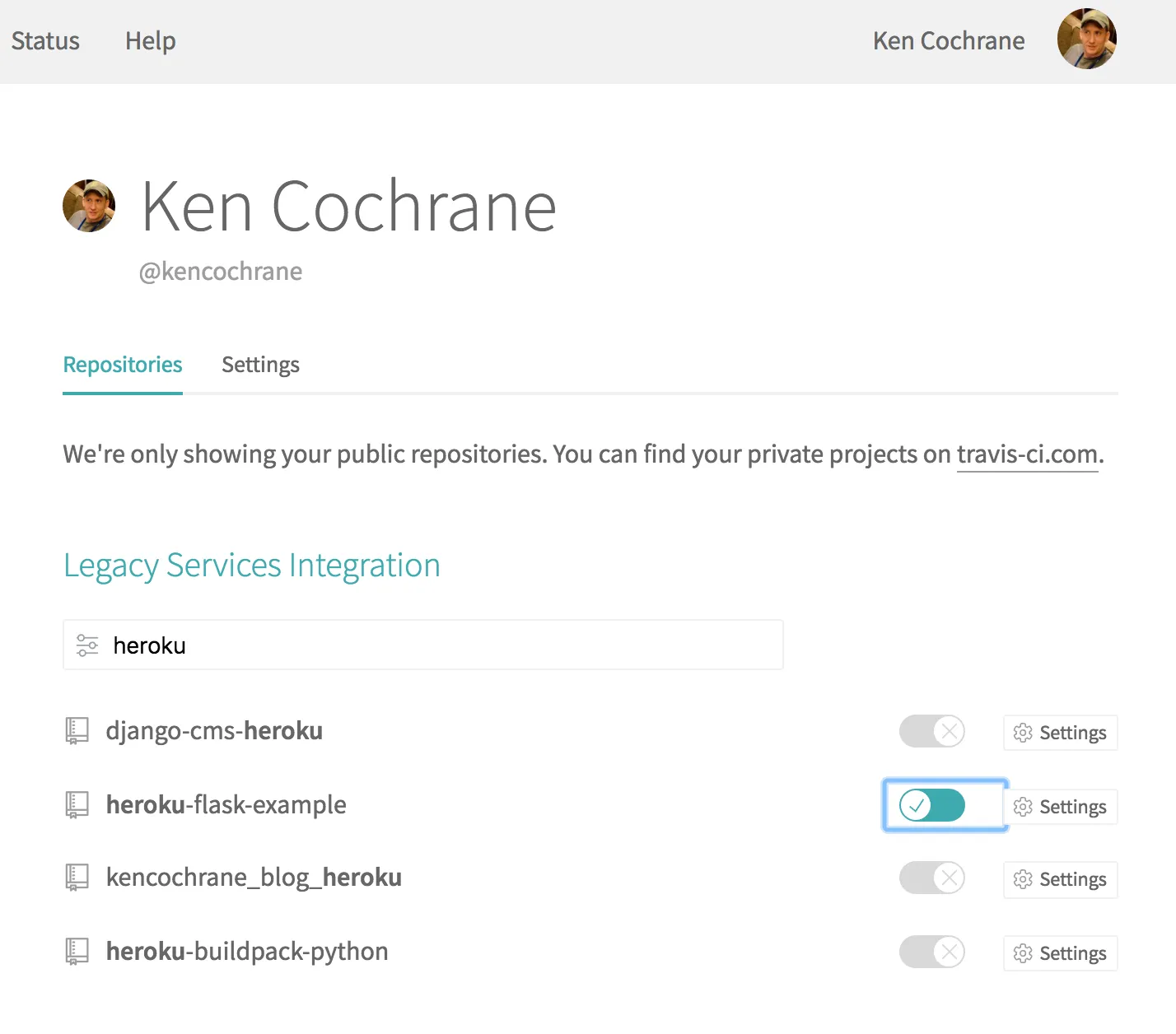
- We will need to now add a
.travis.ymlfile to our Git repo that has the information that TravisCI will need when building our code. Create a file with the following contents, and commit and push it to GitHub:
$ cat .travis.yml
language: python
python:
  - "3.6"
install:
  - pip install -r requirements.txt
script:
  - pytest
How to do it…
Follow the following steps:
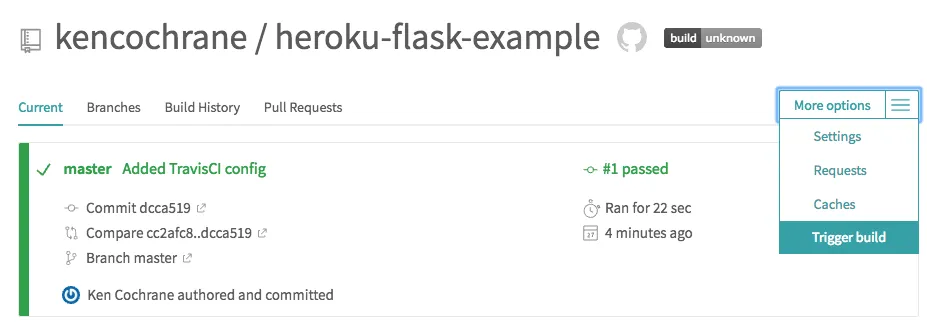
- Trigger a manual build by clicking on More options and then Trigger build, as shown in the following screenshot:
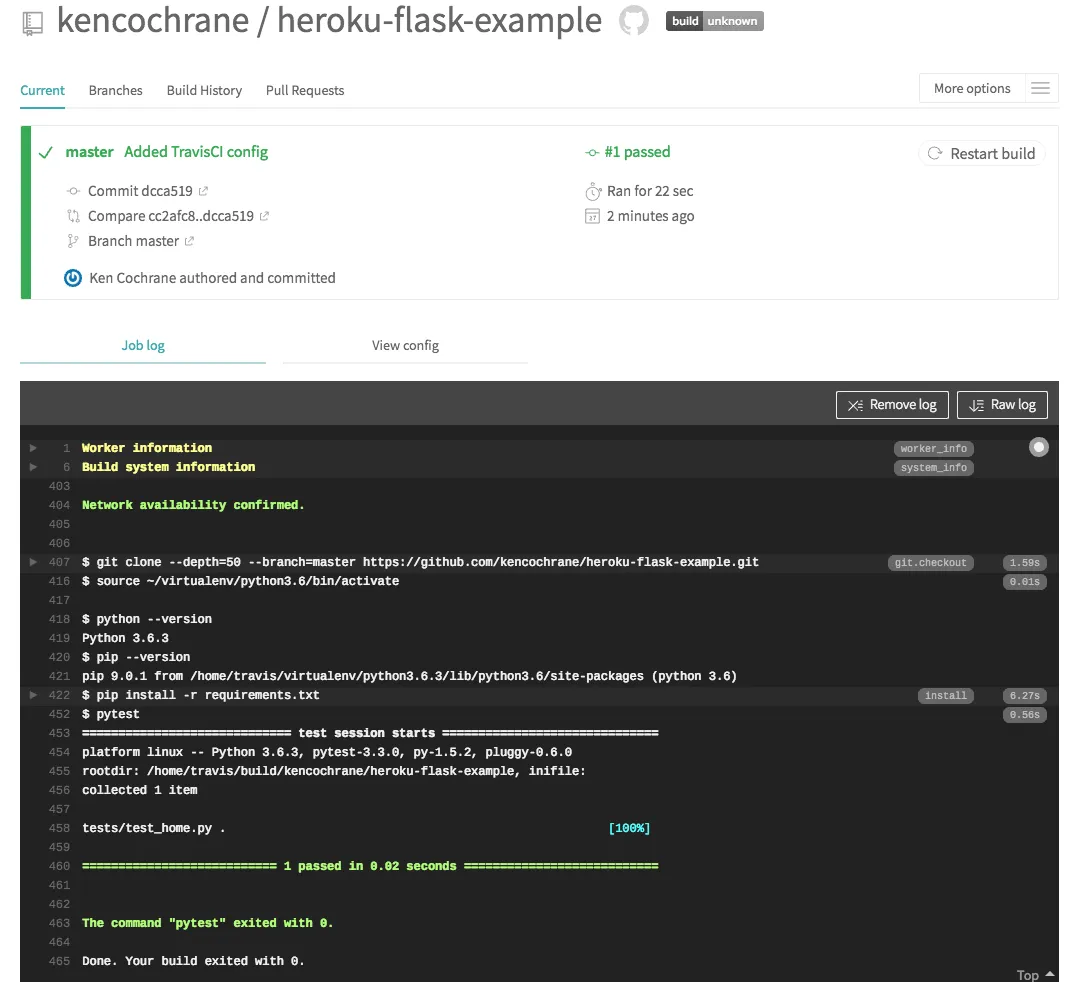
- If all went well, you should be able to see the results of your build, with the logs:
How it works…
The build process starts a new container, clones the source code repository, and runs the commands that we specified in the script section of our .travis.yml file, inside of our test container.
There’s more…
-
TravisCI also adds a webhook in GitHub; thus, the next time you commit the changes in the repository, a build will be triggered.
-
TravisCI also supports Continuous Deployment to different cloud environments, as we have seen in the earlier recipe. To set that up, you would need to add more information to the
.travis.ymlfile. For more details, check out the deployment documentation (https://docs.travis-ci.com/user/deployment/).
See also
The TravisCI documentation at https://docs.travis-ci.com.