Testing With Docker
While doing development or QA, it will be helpful if we can check our code against different environments. For example, we may need to check our Python code between different versions of Python, or on different Linux distributions such as Fedora, Ubuntu, CentOS, and so on. For this recipe, we will use Flask, which is a microframework for Python (https://www.palletsprojects.com/p/flask/). We will use the sample code from Flask’s GitHub repository. I chose this to keep things simple, and it is easier to use for other recipes as well.
For this recipe, we will create images with one container with Python 2.7 and another with Python 3.7. We’ll then use sample Python test code to run against each container.
Getting ready
Make the following preparations:
- As we are going to use example code from Flask’s GitHub repository, let’s clone it:
$ cd /tmp
$ git clone https://github.com/pallets/flask- Create a
Dockerfile_2.7file, as follows, and then build an image from it:
$ cat /tmp/Dockerfile_2.7
FROM python:2.7
RUN pip install flask pytest
ADD flask/ /flask
WORKDIR /flask/examples/tutorial
RUN pip install -e .
CMD ["/usr/local/bin/pytest"]- To build the
python2.7testimage, run the following command:
$ docker image build -t python2.7test -f /tmp/Dockerfile_2.7 .- Similarly, create a Dockerfile with
python:3.7as the base image and build thepython3.7testimage:
$ cat /tmp/Dockerfile_3.7
FROM python:3.7
RUN pip install flask pytest
ADD flask/ /flask
WORKDIR /flask/examples/tutorial
RUN pip install -e .
CMD ["/usr/local/bin/pytest"]- To build the
python3.7testimage, run the following command:
$ docker image build -t python3.7test -f /tmp/Dockerfile_3.7 .- Make sure both the images are created:
$ docker image ls
How to do it…
Now, using the two images we created, let’s run them, to see the results.
To test with Python 2.7, run the following command:
$ docker container run python2.7test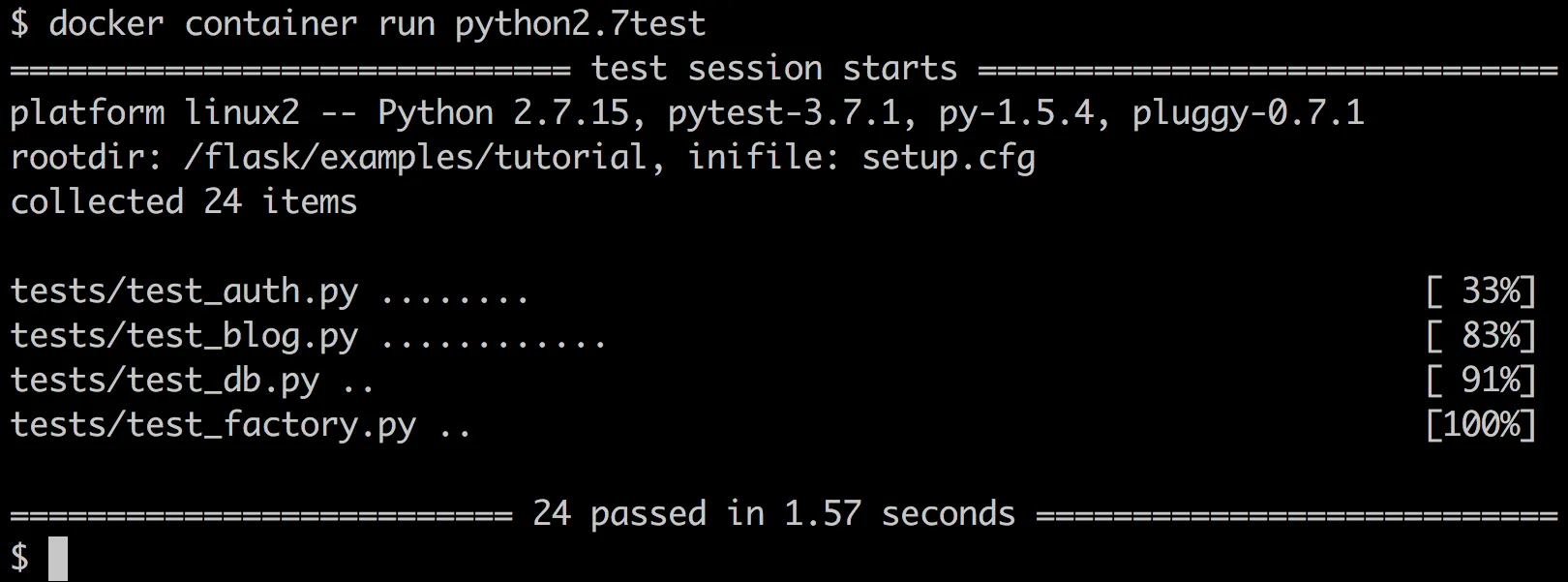
Similarly, to test with Python 3.7, run the following command:
$ docker container run python3.7test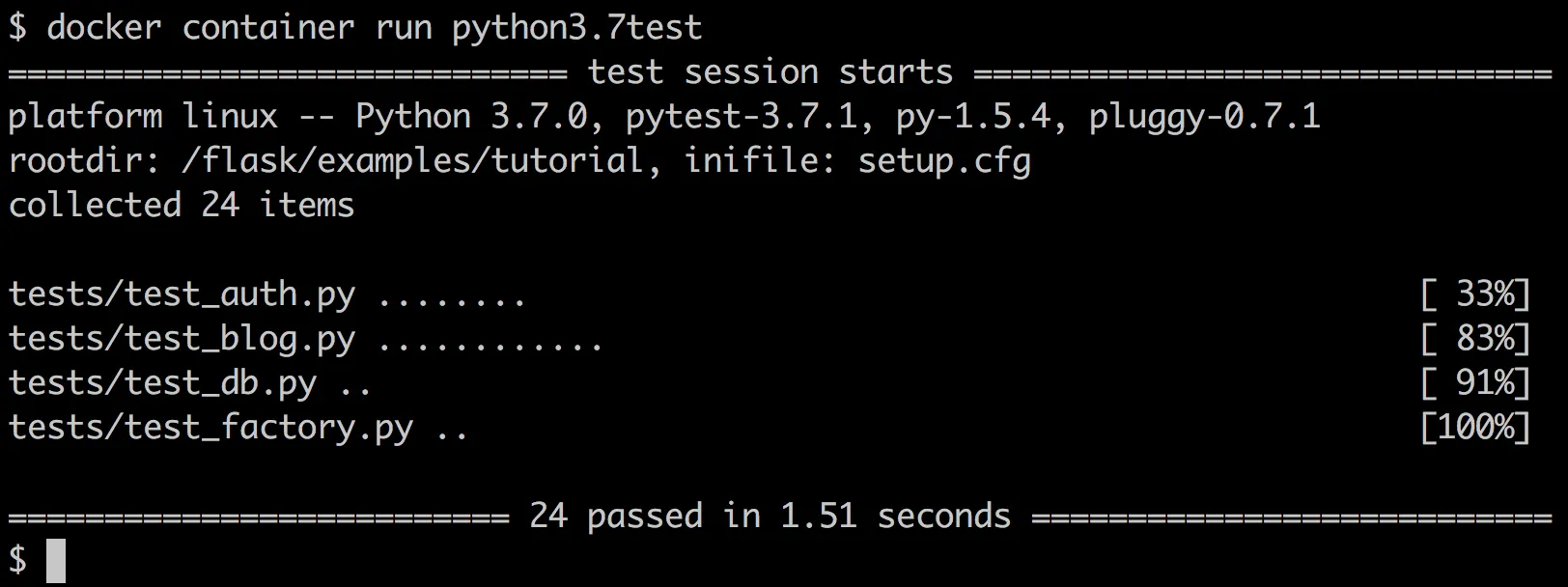
How it works…
As you can see from the two Dockerfiles, before running the CMD, which runs the pytest binary, we add the Flask source code to the image, change our working directory to the tutorial example directory, /flask/examples/tutorial , and install the app. So, as soon as the container starts, it will run the pytest binary on our tests.
There’s more…
-
In this recipe, we have seen how to test our code with different versions of Python. Similarly, you can pick up different base images from Fedora, CentOS, and Ubuntu, and test them on different Linux distributions.
-
If you use Jenkins in your environment, then you can use its Docker plugin to dynamically provision a slave, run a build, and tear it down on the Docker host.
NOTE
More details about this can be found at https://plugins.jenkins.io/docker-plugin.